
How to Optimize Website Forms for More Leads (2026 Guide)
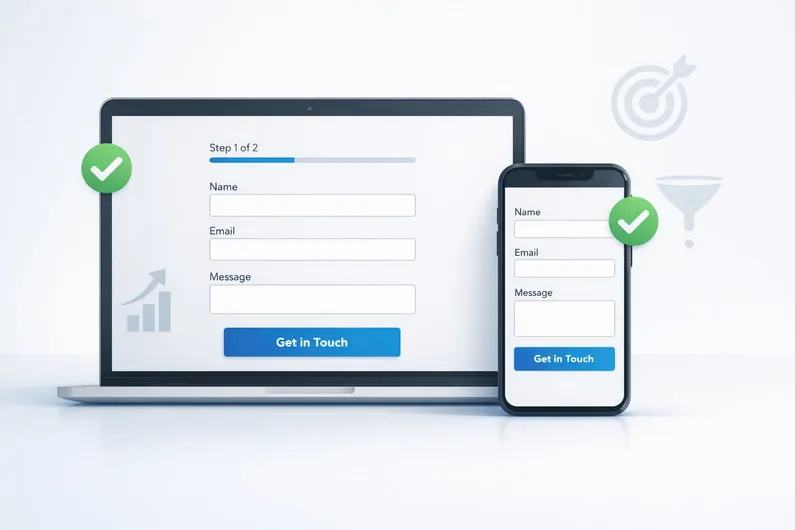

Getting Traffic but No Inquiries? Your Form Is the Problem
If your website gets traffic but very few inquiries, the issue is rarely SEO or ads. If you still want a baseline check, start with our SEO audit guide before you tweak conversions.
In most cases, it’s the form.
Online forms are one of the biggest friction points on small business websites. According to research, 81% of users have abandoned at least one online form, and the average form abandonment rate sits around 68–69% (The Manifest, WPForms).
Even when forms are completed, the average website form conversion rate is only 2–3%. That means most businesses are leaving leads (and revenue) on the table.
The good news: you don’t need a redesign or more traffic to fix this. Small UX improvements, when applied correctly, can unlock surprisingly large gains.
This guide focuses on practical, proven website form optimization fixes you can apply in 2026—no theory, no fluff.
What a “Good” Website Form Looks Like in 2026
Before diving into fixes, let’s set expectations.
For most small business contact or lead forms, a healthy conversion rate typically falls between 3–5%. High-intent quote or booking forms may convert lower, while simple contact forms can convert higher when friction is low.
Copying competitors rarely works because:
- their traffic quality is different
- their offer is different
- their trust level is different.
The core principle to remember:
Reduce friction before increasing persuasion.
If your form is hard to complete, no amount of clever copy will save it.
Step 1: Reduce Fields Ruthlessly (The Highest-Impact Fix)
This is the single most effective form optimization lever.
Fewer fields = more leads. Every extra field adds cognitive and emotional cost.
Research consistently backs this up:
- Reducing form fields from 4 to 3 increased conversions by ~50% (HubSpot)
- Cutting fields from 11 to 4 increased conversions by 160% (Formstack)
- 37% of users abandon forms when a phone number is required (WPForms)
Even Expedia famously generated $12M in additional annual profit by removing a single form field (Linear Design).
Ideal Field Count (Small Businesses)
For most lead forms: 3–5 fields max.
Fields That Hurt Conversions Most
- Phone number
- Physical address
- Age or date of birth
- Budget ranges (early)
What to Collect Now vs Later
Adopt a progressive profiling mindset:
- Collect email + name first
- Gather details later (follow-up email, call, onboarding).
Rule of thumb:
Email first. Everything else optional.
Every extra field is a tax on your conversions.
Step 2: Use Multi-Step Forms Only When You Need Them
Multi-step forms are powerful—but only in the right situations.
When Single-Step Forms Work Best
- Simple contact requests
- Newsletter signups
- Low-friction lead capture
When Multi-Step Forms Outperform
- Forms with 5+ fields
- Quote requests
- Onboarding or qualification flows
When used correctly, multi-step forms can convert up to 86% higher than single-step forms (HubSpot). One case study showed conversion rates jump from 11% to 46% after switching to multi-step (Venture Harbour).
Best Practices
- 2–3 fields per step
- Always show progress
- Capture contact info before qualification questions
Step 3: Fix Errors Before They Frustrate Users
Nothing kills form completions faster than confusing errors.
Why Inline Validation Matters
Inline validation:
- reduces errors by 22%
- reduces completion time by 42%
(CXL Institute)
The Principle
Reward early, punish late.
Validate fields as users type—not after they hit submit.
Bad:
“Form submission failed. Please correct errors.”
Good:
“Please enter a valid email address.”
Placement Rules
- Errors appear directly under the field
- Success messages appear immediately after submission
- Never reset the form on error
Step 4: Design for Mobile First (Not Desktop Shrunk Down)
Over 50% of global website traffic is mobile (Statista), yet mobile forms often convert far worse than desktop.
Mobile Form Non-Negotiables
- Single-column layout
- Large tap targets
- Minimum readable font sizes
- Correct keyboard types (email, number, tel)
Speed matters even more on forms:
- 53% of mobile users abandon pages taking over 3 seconds to load (Google)
- Each extra second (0–5s) reduces conversions by ~4.4% (Google / Deloitte)
Step 5: Let Browsers Do the Work (Autofill & Input Types)
Most small business sites ignore this—and pay for it in drop-offs.
Quick Wins
- Enable autofill attributes (name, email, phone)
- Use correct input types
- Allow password managers where applicable
Autofill reduces typing, errors, and abandonment—especially on mobile.
Step 6: Build Trust Without Overdoing It
Trust matters—but too much of it can backfire.
29% of users abandon forms due to security or privacy concerns (Convertica).
What Works for Lead Forms
- Short testimonial near the CTA
- Client logos (if relevant)
- Simple privacy reassurance
What Hurts Conversions
- Excessive trust badges
- Long privacy disclaimers
- Mentioning the word “spam”
In fact, mentioning “spam” reduced conversions by 18.7% in testing (Content Verve).
Step 7: Microcopy & Button Text That Actually Converts
This is high leverage and low effort.
Why “Submit” Is Terrible
It’s vague and transactional.
First-person CTA copy consistently performs better:
- “Get my quote” vs “Get a quote”
- First-person CTAs increase clicks by ~25% (Unbounce)
CTA copy changes alone have produced up to 90% CTR increases (Unbounce).
Best Practices
- Use intent-based language
- Place microcopy under the button, not above
Optional Advanced Wins (Nice to Have)
These are powerful, but not required.
- Conditional logic (show only relevant fields)
- Abandoned form recovery (email capture early)
- Basic form analytics (starts, completions, drop-offs)
Abandoned form recovery emails convert at ~10.7% (Analyzify).
Prioritized Action Plan
If you do nothing else, do this first:
- Cut unnecessary fields
- Make phone number optional
- Improve mobile usability
- Replace “Submit” with an intent-based CTA
- Add one trust signal near the button
Conclusion: You Don’t Need More Traffic
You don’t need more visitors to get more leads.
You need better website form optimization.
Small UX improvements compound over time—and most businesses never fix them.
If you want help identifying what’s holding your forms back, Oui Digital offers:
- Conversion-focused form audits
- UX-driven redesigns
- Ongoing website optimization & maintenance
Ready to unlock more leads from your existing traffic? Get in touch to start with a practical, conversion-first form review.


