
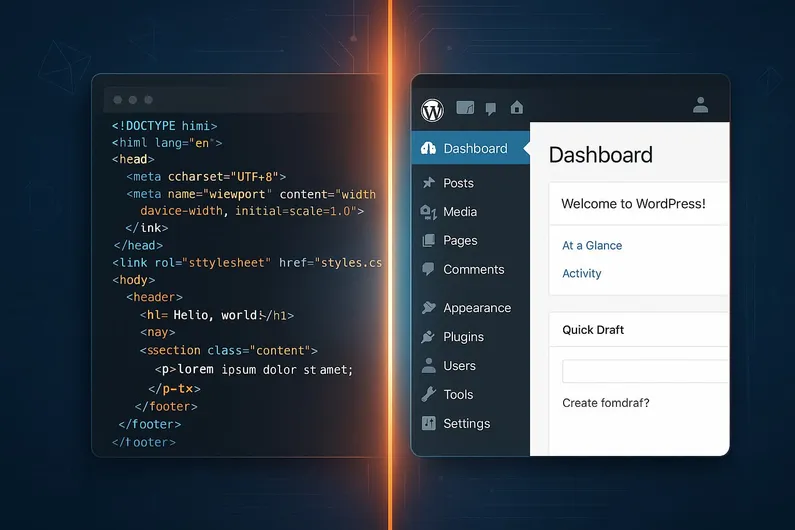
Hand-Coded vs WordPress 2026: Speed, Cost & Maintenance Compared

Your next website will either cost you $600/year or $5,000/year. The platform you pick decides which.
Hand-coded static sites load in under a second, cost a fraction of WordPress, and are nearly impossible to hack. WordPress lets anyone on your team publish a blog post in five minutes without touching code. The right choice comes down to three things: how often you update content, who manages the site, and what you’re willing to spend. This guide compares custom-coded websites vs WordPress with real numbers, benchmarks, and a decision matrix so you can stop guessing.
TL;DR — Which should you choose?
Choose static if you update content less than monthly, have developer access, and want the fastest, cheapest, most secure option.
Choose WordPress if non-technical people need to publish regularly, or you need e-commerce, memberships, or user accounts.
Consider headless WordPress if you want CMS convenience with static-site speed.
Curious about web project costs in general? Our website cost guide breaks down pricing for every approach.
What Are Static Websites?
Static websites are pre-built HTML, CSS, and JavaScript files served directly to users without any server-side processing. A static site generator compiles your content once at build time, and the resulting files are deployed to a CDN or web server. When someone visits your site, they receive those pre-built files instantly, with no database queries or server-side rendering.
Popular static site generators include Astro (multi-framework, performance-focused), Next.js (React-based, hybrid static/dynamic), Hugo (Go-based, extremely fast builds), Gatsby (React-based, plugin ecosystem), and Jekyll (Ruby-based, GitHub Pages compatible).
What Is WordPress?
WordPress is a content management system that generates web pages dynamically from a database. It powers over 40% of all websites. When someone visits a WordPress page, the server queries the database, assembles the content with your theme and plugins, and sends the finished page to the browser.
WordPress comes in three flavors: WordPress.org (self-hosted, full control), WordPress.com (hosted solution, limited customization), and headless WordPress (API-only backend paired with a separate frontend framework).
Performance: Static Sites Are Faster Out of the Box
Speed is one of the clearest differentiators. Static sites skip the database entirely, which means faster responses and better user experience. WordPress can get close with aggressive optimization, but it takes real effort.
| Metric | Static sites | WordPress (optimized) |
|---|---|---|
| Page load time | 0.5–2 seconds | 1–5 seconds |
| Time to First Byte (TTFB) | Under 100ms | 200–500ms |
| Core Web Vitals | Excellent by default | Good, with optimization work |
| CDN-native | Yes | Requires a plugin |
| Uptime | 99.9%+ | 99.5–99.9% |
Static sites consistently score higher on Core Web Vitals because there’s no server-side processing. WordPress can reach “good” Core Web Vitals scores, but it usually requires caching plugins (WP Rocket, W3 Total Cache), image optimization (Smush, ShortPixel), database optimization, and CDN integration. That’s more moving parts, more maintenance, and more things that can break.
Security: Static Sites Have a Smaller Attack Surface
Static websites have no database to breach, no server-side code to exploit, and no login page to brute-force. WordPress, as the most popular CMS in the world, is also the most targeted. Over 90% of CMS-related security incidents involve WordPress, largely because of plugin vulnerabilities and outdated installations.
| Security factor | Static sites | WordPress |
|---|---|---|
| Database attacks | Not possible (no database) | Common attack vector |
| Plugin vulnerabilities | None | Frequent (requires monitoring) |
| Brute-force login attacks | Not applicable | Common without hardening |
| Required maintenance | Minimal | Regular updates essential |
| DDoS protection | CDN-native | Requires additional setup |
WordPress sites can be well-secured, but it takes consistent effort: keeping core, themes, and plugins updated, running a security plugin (Wordfence or Sucuri), enforcing strong passwords with two-factor authentication, and maintaining a backup strategy. Static sites need almost none of this by design.
How Much Does a Static Site Cost vs WordPress Over 3 Years?
Cost is where the gap between static and WordPress gets hard to ignore. The difference isn’t just in hosting. It’s in the accumulated cost of plugin subscriptions, security tools, maintenance hours, and the occasional emergency fix when a plugin update breaks something.
| Cost category | Static site (3-year total) | WordPress (3-year total) |
|---|---|---|
| Development | $2,000–$8,000 | $3,000–$15,000 |
| Hosting | $180–$1,800 | $360–$3,600 |
| Domain | $30–$45 | $30–$45 |
| Plugins / subscriptions | $0 | $300–$3,000 |
| Maintenance / updates | $1,500–$6,000 | $3,000–$9,000 |
| Security | $0 | $600–$1,500 |
| 3-year total | $3,710–$15,845 | $7,290–$32,145 |
For a typical small business site, static hosting runs $5–50/month, while managed WordPress hosting starts at $10–100/month before you add premium plugins and security tools. Over three years, a static site often costs less than half of an equivalent WordPress setup. That said, if your business needs justify WordPress (frequent publishing, e-commerce, multiple content editors), the extra cost may be well worth it.
Want a detailed breakdown? See our full website cost guide.
Content Management: WordPress Is Easier for Non-Technical Teams
This is where WordPress shines. A marketing manager can log in, write a blog post, add images, and publish — all without touching code. Static sites require either technical knowledge (markdown, Git, command-line tools) or a headless CMS layer to provide a similar experience.
| Content management feature | Static sites | WordPress |
|---|---|---|
| Non-technical editing | Requires headless CMS | Built-in dashboard |
| Publishing workflow | Build + deploy step | One-click publish |
| Media management | Manual or via CMS | Built-in media library |
| User roles / permissions | Depends on CMS setup | Native feature |
| Scheduled publishing | Possible with CI/CD | Native feature |
Static sites can add content-management convenience through headless CMS platforms like Sanity, Contentful, or Strapi, or through Git-based options like Netlify CMS. These close the gap, but they add complexity and sometimes cost. If ease of content management is your top priority and you don’t have a developer on call, WordPress is the simpler choice.
SEO Comparison
Both platforms can rank well when properly optimized. Static sites have a built-in advantage on technical SEO factors (speed, Core Web Vitals, clean markup), while WordPress offers a larger ecosystem of SEO plugins and tools.
| SEO factor | Static sites | WordPress |
|---|---|---|
| Page speed | Excellent (major ranking factor) | Good with optimization |
| Core Web Vitals | Excellent by default | Requires plugin configuration |
| SEO tooling | Manual or build-time plugins | Yoast, RankMath, AIOSEO |
| Structured data | Manual implementation | Plugin-assisted |
| XML sitemap | Generated at build time | Plugin-generated |
| Ease of optimization | Requires technical knowledge | Guided by plugins |
In practice, a well-optimized WordPress site and a well-built static site can achieve comparable SEO results. The difference is in the effort required to get there. Static sites start fast and clean. WordPress sites need careful plugin selection, caching configuration, and ongoing monitoring to maintain performance.
Hybrid Approaches: The Best of Both Worlds
You don’t always have to pick one or the other. Hybrid setups are increasingly common and solve specific pain points.
Headless WordPress uses the WordPress admin panel for content management while serving a static or JavaScript-powered frontend. Your editors get the familiar WordPress dashboard. Your visitors get static-site speed. The trade-off is a more complex architecture that requires developer expertise to set up and maintain.
Static site generators with a headless CMS (like Astro + Sanity, or Next.js + Contentful) provide a similar editorial experience without the WordPress backend at all. These are popular with development teams that want full control over the frontend while giving content editors a visual editing interface.
Both approaches work well for businesses that have outgrown basic WordPress but aren’t ready to give up CMS convenience entirely.
Is WordPress Still Worth It in 2026?
WordPress is still worth it in 2026 if your team publishes content weekly, your editors aren’t developers, or you need built-in support for e-commerce, memberships, or complex user workflows. The plugin ecosystem remains unmatched for quickly adding functionality without custom development.
That said, the landscape has shifted. Static site generators and headless CMS platforms now cover many use cases that used to require WordPress by default. If your site is a brochure, portfolio, or documentation hub that gets updated a few times a year, WordPress adds cost and complexity you don’t need. The decision comes down to how much ongoing content management your team actually does, not how much you think you might do someday.
For businesses sitting on the fence, headless WordPress offers a middle path: the editing experience you know, delivered with the speed of a static frontend.
Answer 3 Questions to Find Your Best Fit
1. Will non-technical team members need to update the site weekly? Yes → WordPress is likely your best fit. No → Continue to question 2.
2. Is your annual web budget under $2,000/year? Yes → A static site will stretch your budget further. No → Continue to question 3.
3. Do you need e-commerce, user accounts, or membership features? Yes → WordPress (or headless WordPress for performance). No → A static site gives you the best speed, security, and cost.
WordPress to Static Site Migration
If you’ve decided to move from WordPress to a static site, here’s what the process looks like in practice.
Timeline: 2–6 weeks for most small to medium sites, depending on the amount of content, custom functionality, and how many WordPress plugins need to be replaced with static alternatives.
The process, step by step:
- Audit your current site. Document every page, post, custom post type, form, and plugin. Identify which features are essential and which can be dropped.
- Export your content. Use the WordPress export tool or a database export. Tools like Jekyll Importer, Gatsby Source WordPress, and Hugo’s WordPress importer can automate much of the conversion to markdown.
- Choose your static stack. Pick a generator that matches your team’s skills (Astro, Next.js, Hugo, or Gatsby) and, if needed, a headless CMS for ongoing content management.
- Rebuild templates and functionality. Convert your WordPress theme to static templates. Replace plugin-dependent features (contact forms, search, comments) with static-friendly alternatives like Formspree, Algolia, or Disqus.
- Migrate and validate content. Import your converted content, check formatting, fix broken links, and verify that images and media transferred correctly.
- Set up hosting and deployment. Deploy to a CDN-backed host (Netlify, Vercel, Cloudflare Pages) and configure your domain, SSL, and redirects.
- Test thoroughly. Check every page, form, and redirect. Validate Core Web Vitals, structured data, and sitemap generation before going live.
Common pitfalls to watch for: broken internal links after URL structure changes, missing 301 redirects from old WordPress URLs, forms that relied on PHP (need a replacement), and dynamic features like search or comments that need a different solution.
When to hire a developer vs. DIY: If your WordPress site is a straightforward blog with standard pages, a technical founder or marketer comfortable with the command line can handle the migration. If you have custom post types, WooCommerce, membership plugins, or complex URL structures, bring in a developer.
Maintenance: Where the Long-Term Cost Difference Lives
The upfront build cost gets the most attention, but maintenance is where WordPress and hand-coded sites diverge the most over time. WordPress requires active, ongoing maintenance just to keep the site secure and functional. A hand-coded static site is largely “set and forget” on the infrastructure side.
| Maintenance task | Hand-coded / static site | WordPress |
|---|---|---|
| Core updates | None (no CMS core) | Monthly — security-critical |
| Plugin updates | None (no plugins) | Monthly — often 10-20 plugins |
| Security patches | Rarely needed | Frequent — CMS is a target |
| Database optimization | Not applicable | Quarterly recommended |
| Backup management | Simple (files only, often in Git) | Database + files, requires tooling |
| Uptime monitoring | Optional (CDN handles this) | Recommended (server can go down) |
| SSL renewal | Auto via CDN host | Manual or plugin-dependent |
| Estimated time/month | Under 1 hour | 2-4 hours |
| Estimated cost/year | $0-$600 | $1,500-$4,000 |
Over three years, a WordPress site’s maintenance costs alone can exceed the entire cost of building and running a hand-coded site. This is the single biggest reason businesses switch from WordPress to custom-coded solutions — not because WordPress is bad, but because the ongoing overhead doesn’t justify the convenience for sites that don’t need frequent content updates.
Decision Matrix
| Factor | Static sites | WordPress |
|---|---|---|
| Speed | ★★★★★ | ★★★ |
| Security | ★★★★★ | ★★★ |
| Annual cost | ★★★★★ | ★★ |
| Ease of use | ★★ | ★★★★★ |
| Plugin ecosystem | ★★★ | ★★★★★ |
| SEO (out of the box) | ★★★★ | ★★★★ |
Making Your Decision
Both static sites and WordPress have clear strengths in 2026. The right choice depends on your specific situation, not on which platform is “better” in the abstract.
Choose a static site if you prioritize speed, security, and low ongoing costs, and your content doesn’t change weekly. You’ll get a faster site for less money, with almost zero security overhead.
Choose WordPress if your team needs to publish content regularly without developer support, or if you need e-commerce, user accounts, or a deep plugin ecosystem. The higher cost pays for convenience and flexibility.
Consider a hybrid approach if you want the editorial experience of WordPress with the performance of a static frontend. Headless WordPress and static-site-plus-CMS setups are mature, well-supported options in 2026.
Not sure which fits your business? Contact us for a free consultation. We’ll recommend the right approach based on your content workflow, budget, and growth plans. You can also explore our web design services or read about essential features every small business website needs.


