Most web designers think about how a site looks. Fewer think about how it ranks. And that gap is where businesses lose traffic they never knew they could have.
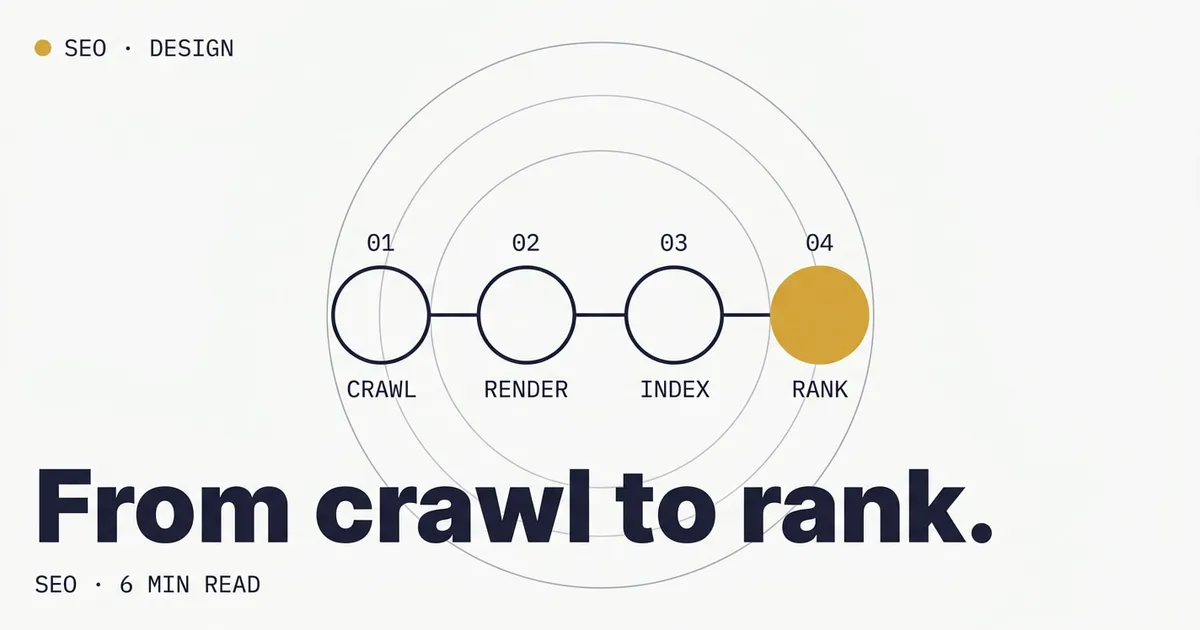
SEO-friendly web design isn’t a bolt-on service or a plugin you install after launch. It’s a set of decisions made during design and development that determine whether search engines can find, understand, and rank your pages. Get these right, and your site has a structural advantage over competitors who treat SEO as an afterthought.
This guide covers what “SEO-friendly” actually means in practice, and what it doesn’t.
What Makes a Website SEO-Friendly?
An SEO-friendly website is one where design, code, content, and technical infrastructure all work together to help search engines crawl and rank your pages. It’s not about keyword stuffing or tricks. It’s about building a site that’s genuinely useful, fast, and easy for both humans and search engines to navigate.
What SEO-Friendly Does Not Mean
Before diving into specifics, a few common misconceptions worth clearing up:
- It does not mean keyword-stuffed. Writing for search engines at the expense of readability hurts both rankings and conversions.
- It does not mean sacrificing user experience. Google’s ranking systems increasingly reward pages that are genuinely helpful to users, not pages optimized purely for crawlers.
- It does not guarantee rankings. Technical SEO removes barriers. It makes your content eligible to rank well. But content quality, relevance, and authority still determine where you actually land.
- Not all signals are equally weighted. Google uses hundreds of ranking factors. Technical SEO factors like page speed and Core Web Vitals matter, but they function more as tiebreakers among otherwise similar pages than as dominant ranking signals (Google Search Central).
With that framing in mind, here are the core elements:
1. Site Speed and Performance
Page speed is a confirmed Google ranking factor. Google has stated that sites with good Core Web Vitals have an advantage in Search results, though the effect functions more as a tiebreaker among otherwise similar pages than as a dominant signal. That said, the indirect impact is significant: faster sites see lower bounce rates, higher engagement, and better conversion rates.
What matters:
- Load time under 2 seconds for most pages
- Passing Core Web Vitals: LCP (Largest Contentful Paint) under 2.5s, INP (Interaction to Next Paint) under 200ms, CLS (Cumulative Layout Shift) under 0.1. Note: INP replaced FID as a Core Web Vital in March 2024.
- Optimized images: properly sized, compressed, and served in modern formats (WebP, AVIF)
- Minimal render-blocking resources: fewer scripts and stylesheets that delay page display
What hurts SEO:
- Heavy page builders and bloated themes (common with WordPress)
- Unoptimized hero images and background videos
- Dozens of third-party scripts loading on every page
- Web fonts loaded without proper font-display settings
The fastest sites are typically hand-coded using static site generators like Astro, Hugo, or 11ty. These frameworks produce clean HTML with no database overhead, delivering sub-second load times without optimization plugins. Learn more in our performance optimization guide.
2. Mobile-First Design
Google has used mobile-first indexing for all sites since July 2024, meaning it exclusively uses the mobile version of your content for indexing and ranking. If your mobile experience is poor, your rankings will suffer regardless of how good your desktop site looks.
SEO-friendly mobile design means:
- Responsive layouts that adapt to any screen size
- Touch-friendly tap targets: buttons at least 44x44px
- Readable text without zooming: minimum 16px body font
- No horizontal scrolling on any device
- Fast loading on mobile networks: optimize for 3G/4G, not just WiFi
Common mistakes:
- Hiding content behind “read more” toggles on mobile (Google may devalue hidden content)
- Using desktop-only navigation patterns on small screens
- Images that aren’t responsive and force mobile users to download full-size files
This applies to embedded content too. Videos, maps, and social posts must scale with the screen, so our responsive embed code generator creates embeds that keep their aspect ratio on any device.
3. Clean, Semantic HTML
Search engines read your HTML to understand what your page is about. Clean, semantic markup makes this easier and more accurate.
Key practices:
- One H1 per page that clearly describes the page’s main topic
- Logical heading hierarchy: H2s for main sections, H3s for subsections, never skip levels
- Semantic elements: use
<nav>,<main>,<article>,<section>,<aside>instead of generic<div>soup - Descriptive alt text on every image (also required for accessibility)
- Structured data (schema markup): helps Google understand your content and can enable rich results like reviews and breadcrumbs. Note: as of August 2023, FAQ rich results are limited to government and health authority sites, though FAQ schema can still help search engines interpret your content.
What hurts SEO:
- Multiple H1 tags on one page
- Using heading tags for visual styling instead of document structure
- Missing or empty alt attributes on images
- JavaScript-rendered content that search engines can’t see
Clean markup still underperforms when broader design choices ignore the foundational web design rules around hierarchy, contrast, and friction. Those quietly drag SEO down too.
4. Logical Site Architecture
How your pages are organized and linked together tells search engines which pages are most important and how topics relate to each other.
SEO-friendly structure:
- Flat architecture: every important page should be reachable within 3 clicks from the homepage
- Clear URL structure: descriptive, readable URLs like
/services/web-design/instead of/page?id=247 - Breadcrumb navigation: helps users and search engines understand page hierarchy
- Topic clusters: group related content and link between them (e.g., a pillar page on web design linking to supporting posts on specific aspects)
Internal linking best practices:
- Every blog post should link to at least 2-3 related pages
- Service pages should link to relevant case studies and blog content
- Use descriptive anchor text: “our web design process” is better than “click here”
5. Crawlability and Indexation
If search engines can’t crawl your pages efficiently, nothing else matters.
Essentials:
- XML sitemap submitted to Google Search Console
- Clean robots.txt that doesn’t accidentally block important pages
- Canonical tags to prevent duplicate content issues (especially important for bilingual sites, see our free bilingual site review)
- 301 redirects for any pages that have moved. Don’t let old URLs return 404 errors.
- Fast server response times: TTFB under 200ms
Common crawl issues:
- Pages blocked by robots.txt or noindex tags unintentionally
- Orphan pages with no internal links pointing to them
- Infinite URL patterns from filters, sorting, or pagination
- JavaScript-dependent navigation that crawlers can’t follow
6. Meta Tags and On-Page SEO
Every page needs a unique title tag and meta description that accurately describe its content and target relevant keywords.
Title tag best practices:
- 50-60 characters to avoid truncation in search results
- Primary keyword near the beginning
- Unique for every page: no duplicates
- Brand name at the end (if space permits)
Meta description best practices:
- 150-160 characters
- Include a call to action or value proposition
- Match search intent: if someone searches for this keyword, does your description answer their question?
7. HTTPS and Security
Google has used HTTPS as a ranking signal since 2014. Any site still on HTTP is at a disadvantage.
Requirements:
- SSL certificate on every page (not just checkout or login pages)
- No mixed content: all resources (images, scripts, stylesheets) loaded over HTTPS
- Proper redirects from HTTP to HTTPS versions
The WordPress vs Hand-Coded SEO Advantage
One of the biggest design decisions that affects SEO is your platform choice. WordPress sites can be optimized for SEO, but they start with disadvantages that require ongoing work to overcome:
| Factor | Hand-coded / static site | WordPress |
|---|---|---|
| Page speed | Excellent by default | Requires optimization plugins |
| Code cleanliness | Minimal, purposeful code | Theme bloat + plugin overhead |
| Core Web Vitals | Passing scores out of the box | Needs configuration work |
| Security | No attack surface | Regular updates required |
| Maintenance for SEO | Low | Ongoing plugin management |
This doesn’t mean WordPress can’t rank. It can. But a hand-coded site built on a framework like Astro starts with structural SEO advantages that WordPress sites have to work to match. Read the full comparison in our hand-coded vs WordPress guide.
An SEO-Friendly Design Checklist
Use this checklist when building or evaluating a website:
- Page load time under 2 seconds
- Passing Core Web Vitals (LCP, INP, CLS)
- Mobile-responsive design tested on real devices
- One H1 per page with a clear topic
- Logical heading hierarchy (H1 → H2 → H3)
- Semantic HTML elements used throughout
- Descriptive alt text on every image
- Unique title tags and meta descriptions on every page
- Clean, descriptive URL structure
- XML sitemap submitted to Google Search Console
- Internal links connecting related content
- HTTPS on all pages with no mixed content
- Structured data (schema markup) where appropriate
- Breadcrumb navigation
- No orphan pages or broken links
SEO Starts With Design, Not After It
The most common mistake businesses make is treating SEO as something you add after the website is built. By then, the most impactful decisions (platform choice, page speed architecture, URL structure, heading hierarchy) have already been made.
Building SEO into your design process from day one is faster, cheaper, and more effective than retrofitting it later.
Want a website that’s built for search from the ground up? See our web design services or get a free SEO audit to find out where your current site stands. You can also run through our full SEO audit guide to diagnose issues yourself.